Part 4 · The sales board

×

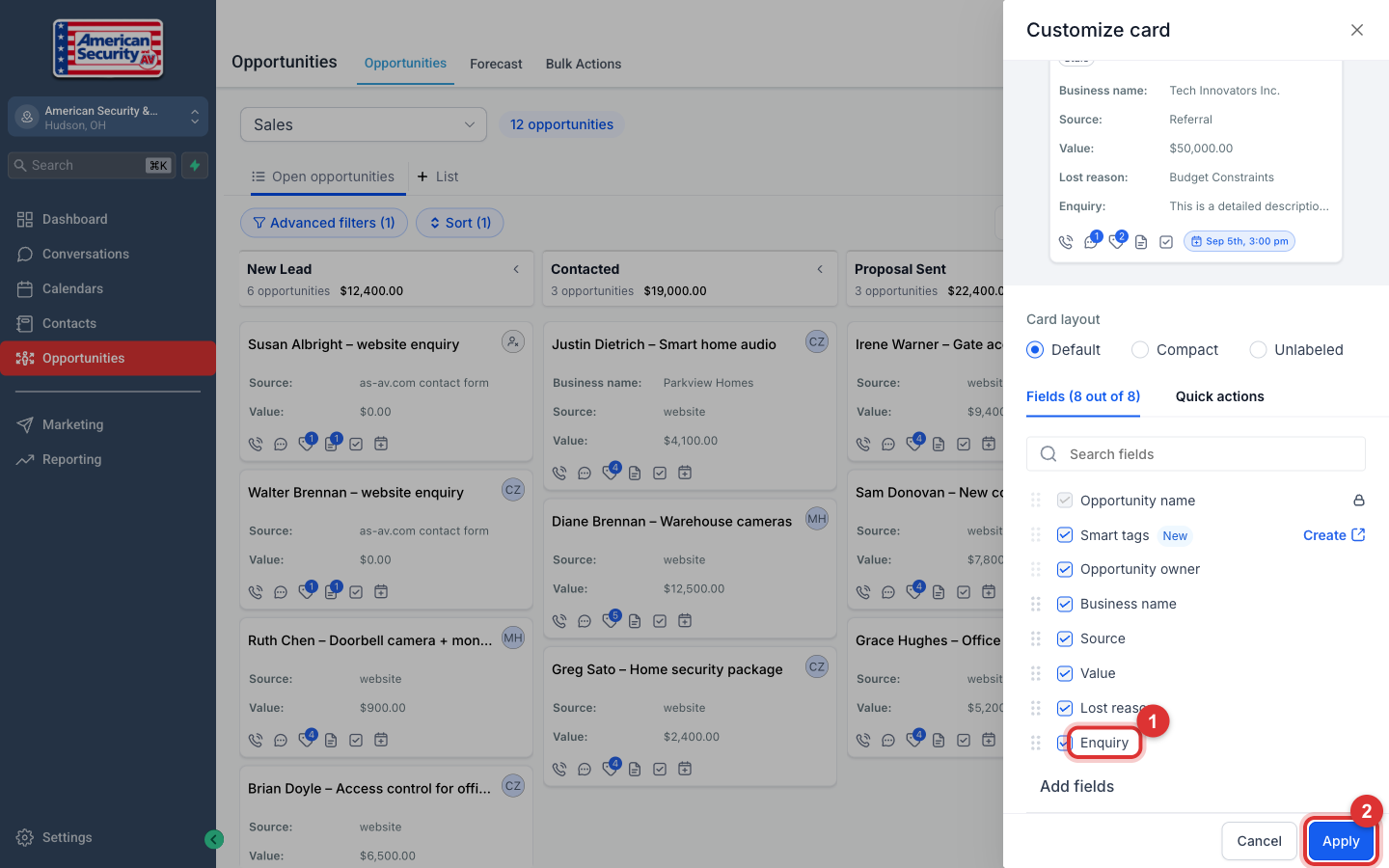
Show the enquiry on your cards
Click Manage fields at the top right of the board.
Search for Enquiry and tick it.
1
Enquiry is now in the list.
2
Click Apply.
Good to know
Do this once on each board (Sales, and Service & Billing). Each person does it on their own login.