Part 6 · A new board

×
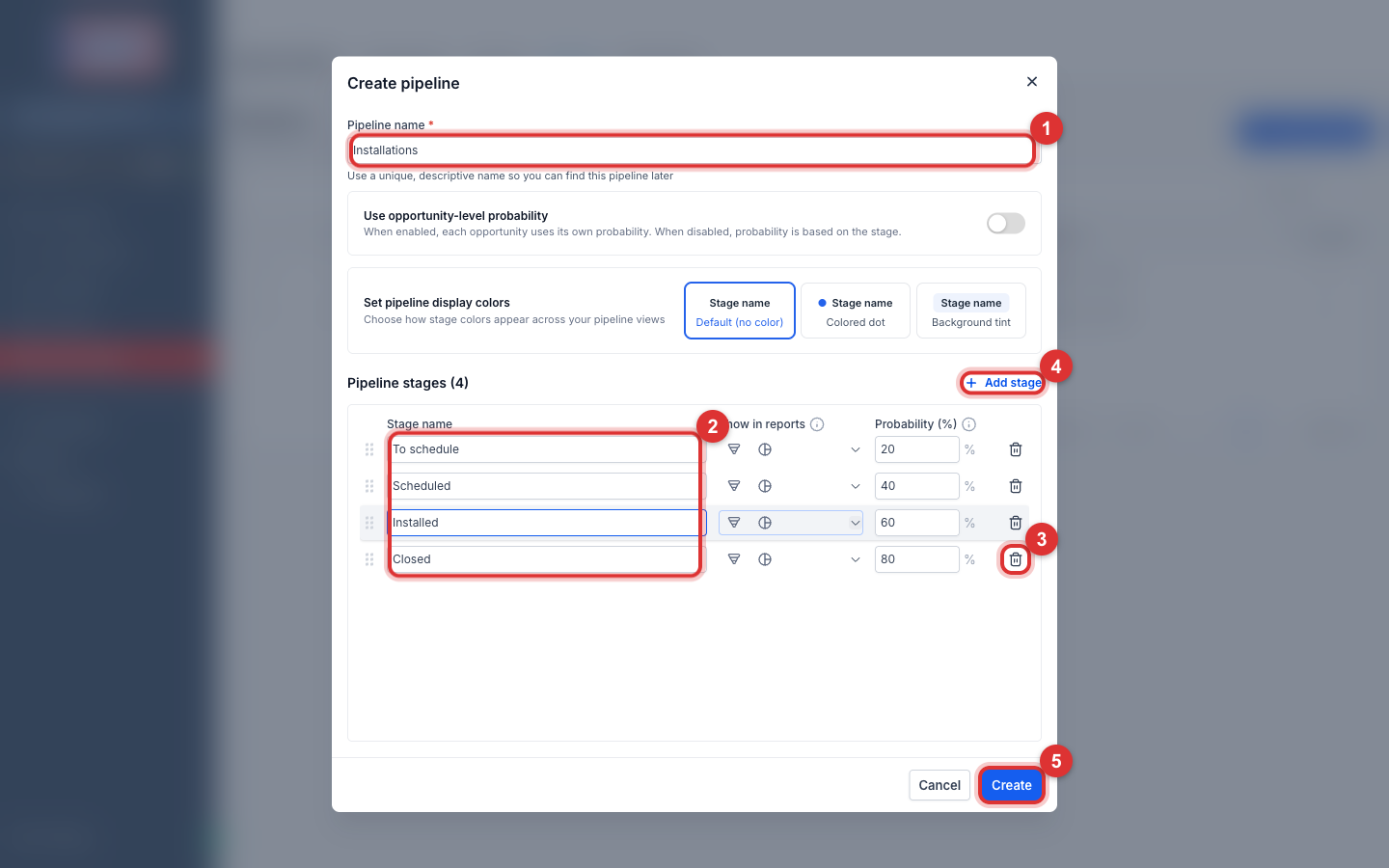
Create a new board: fill it in
1
Type the board’s name.
2
Type a name in each column box.
3
The bin removes a column, like “Closed”.
4
Add stage adds a column.
5
Click Create.
Good to know
The new board is in the board switcher at the top left of Opportunities.