Part 3 · Saved lists

×
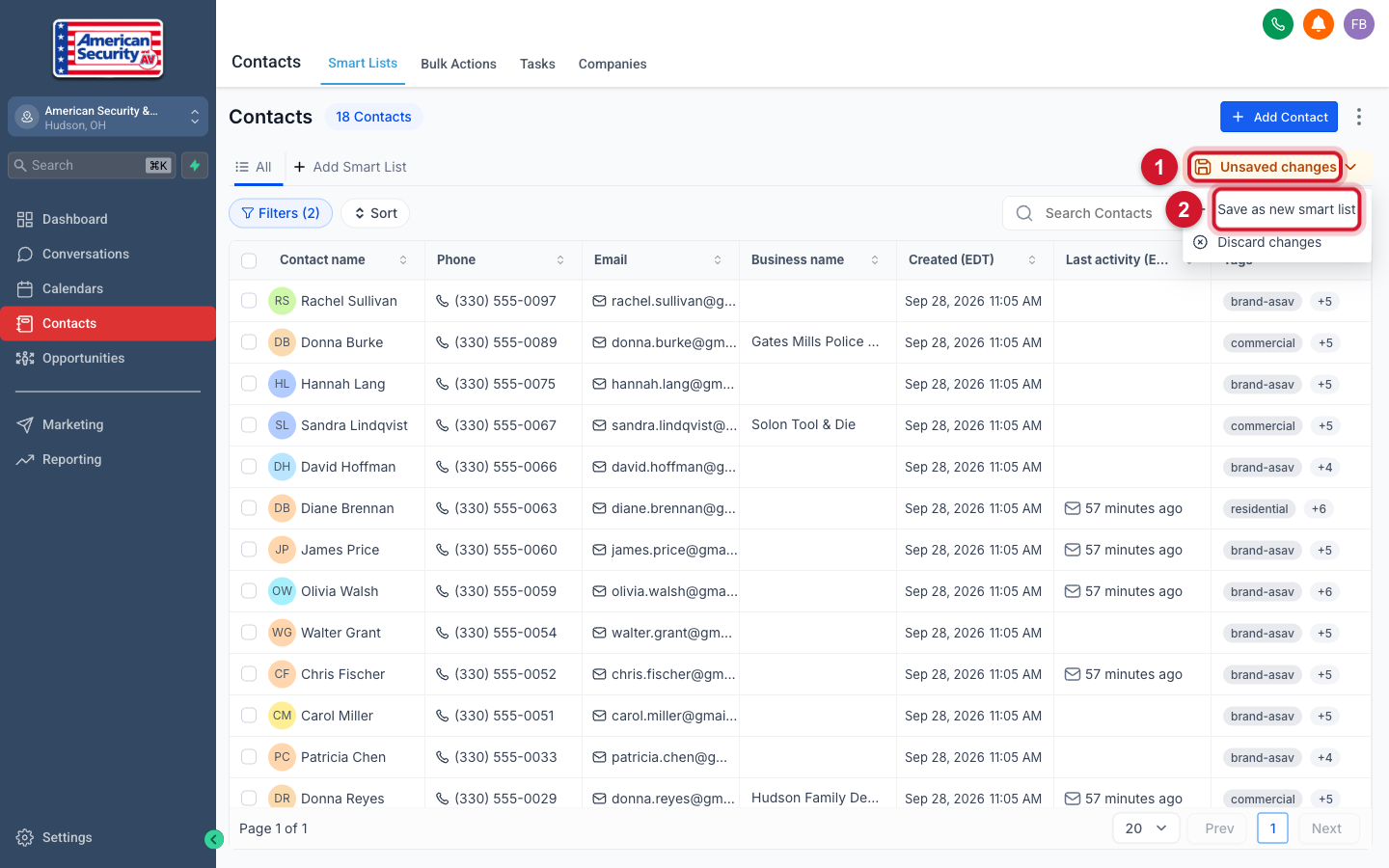
Save the list
1
Click the orange Unsaved changes button at the top right.
2
Click Save as new smart list.
Type a clear name, like NE Ohio customers, and click Create.
Careful
The name box may already say “New smart list”. Delete those words first, then type your own name.